Tidewell Live demo
Clinic appointment app · Flutter + Laravel

Clinic visits that run on real time.

A patient app, a doctor app and a clinic dashboard built around one idea: tell people the real wait before they leave home.

Live wait per doctor One-tap delay notices Leave-at time Book by time or by token Four colour modes
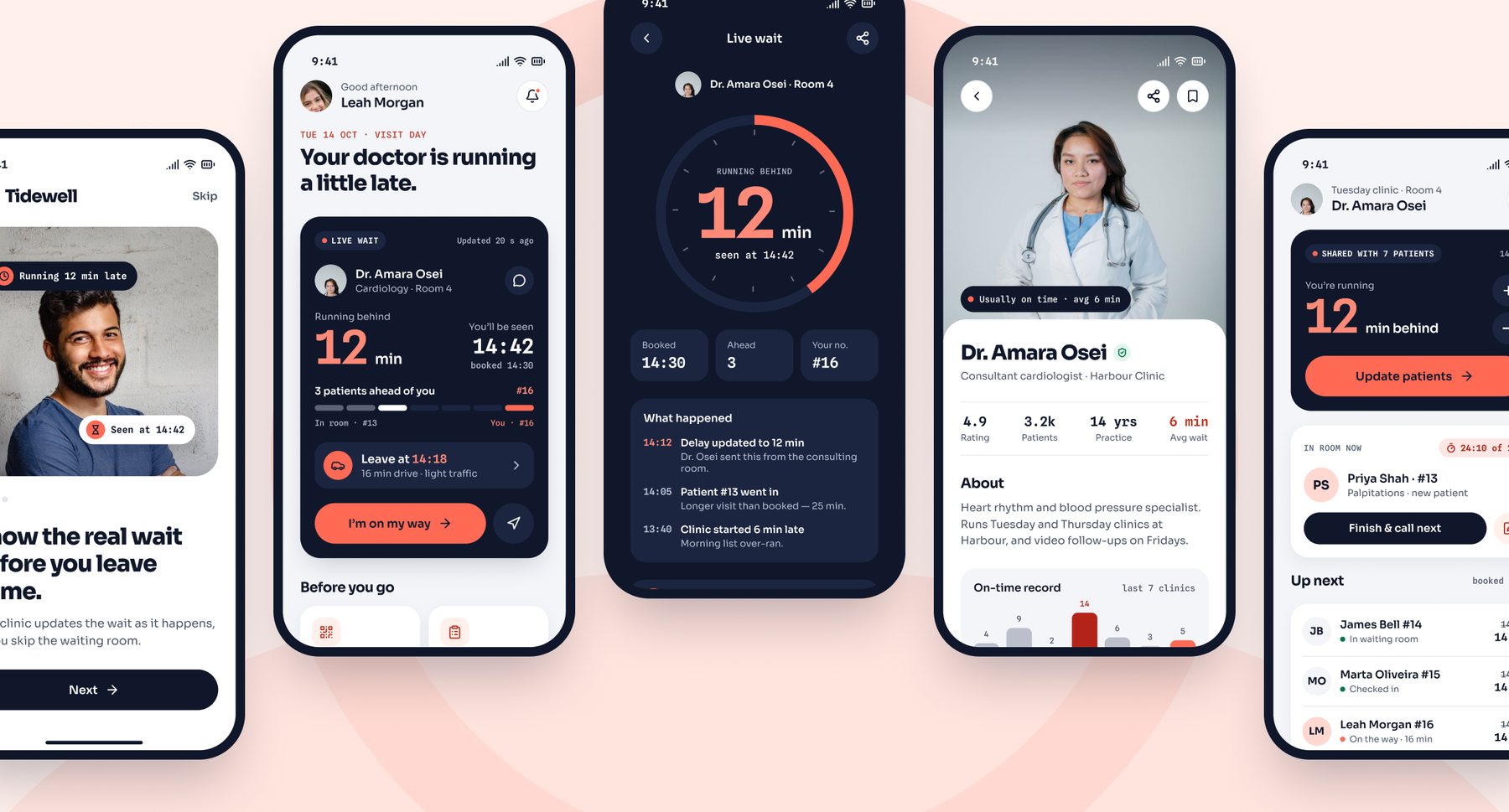
Tidewell patient and doctor app screens: home with the live wait card, the live wait dial, a doctor profile and the doctor’s day
Watch the tour

See a delay reach every patient, in one minute.

Setting it up? Watch the 90-second install guide — server, console and both apps.

How it works

The delay reaches patients before they reach the waiting room.

01

The doctor runs late

From the doctor app or the clinic dashboard, set how far behind the clinic is — 5, 10, 15 minutes.

02

Every patient gets a new time

Everyone still to be seen that day sees their new time and their place in the queue, updated at once.

03

They leave at the right minute

The patient app works out when to leave home from the live wait, and nudges them when it’s time.

Patient app

The wait, shown live.

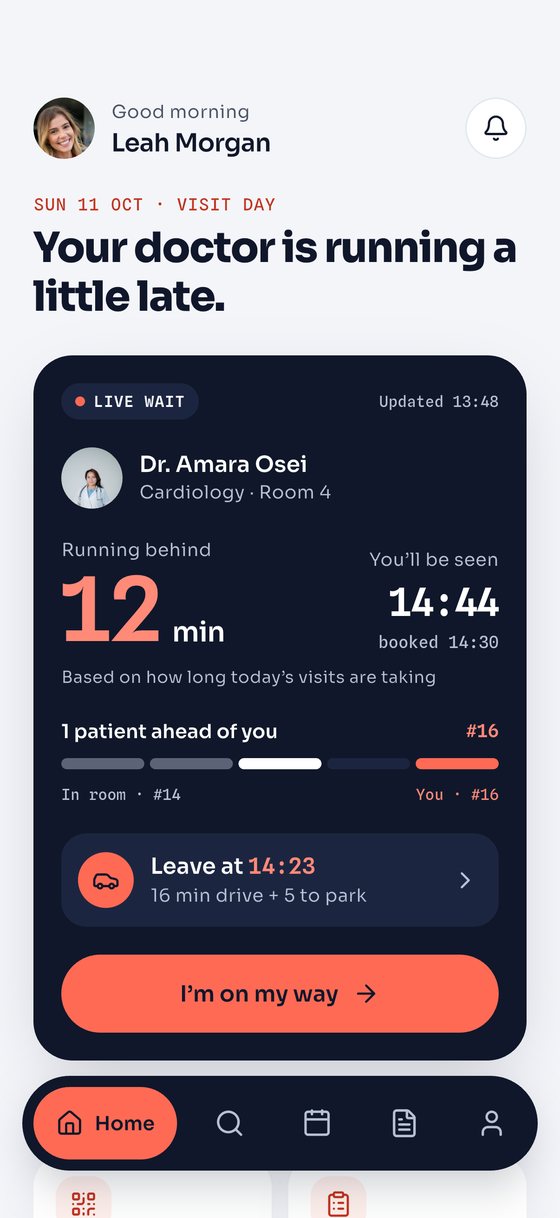
The doctor’s delay, the new time, the queue and when to leave — on one card on the home screen.

  • Find doctors by specialty and by how late they usually run
  • Book a time slot, pay after the visit
  • Check in with a pass, follow the queue, step out without losing your place
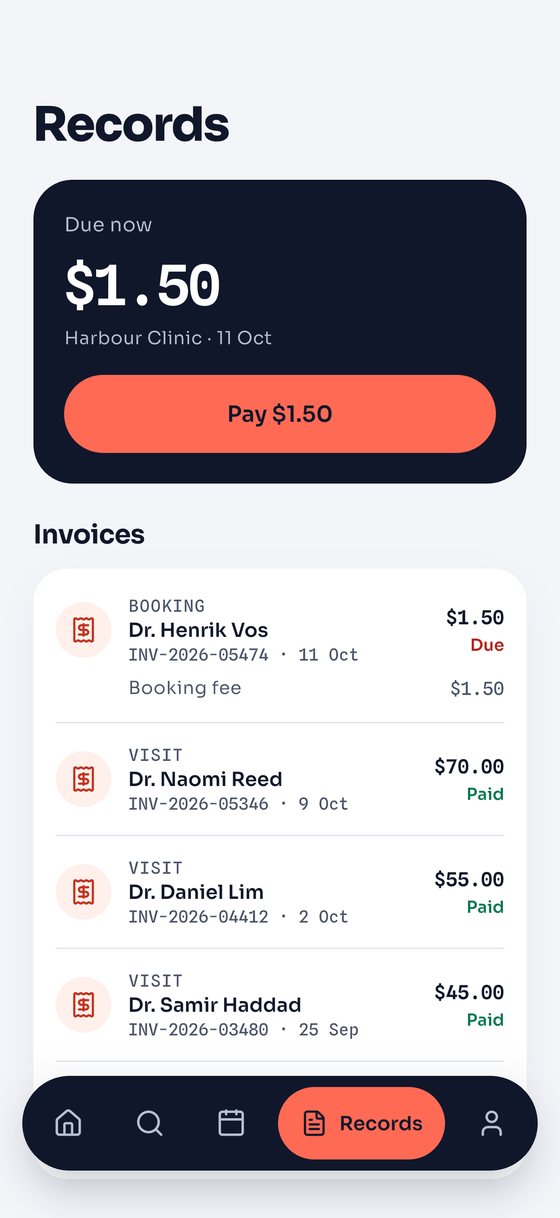
  • Video visits, visit summaries, lab results and invoices
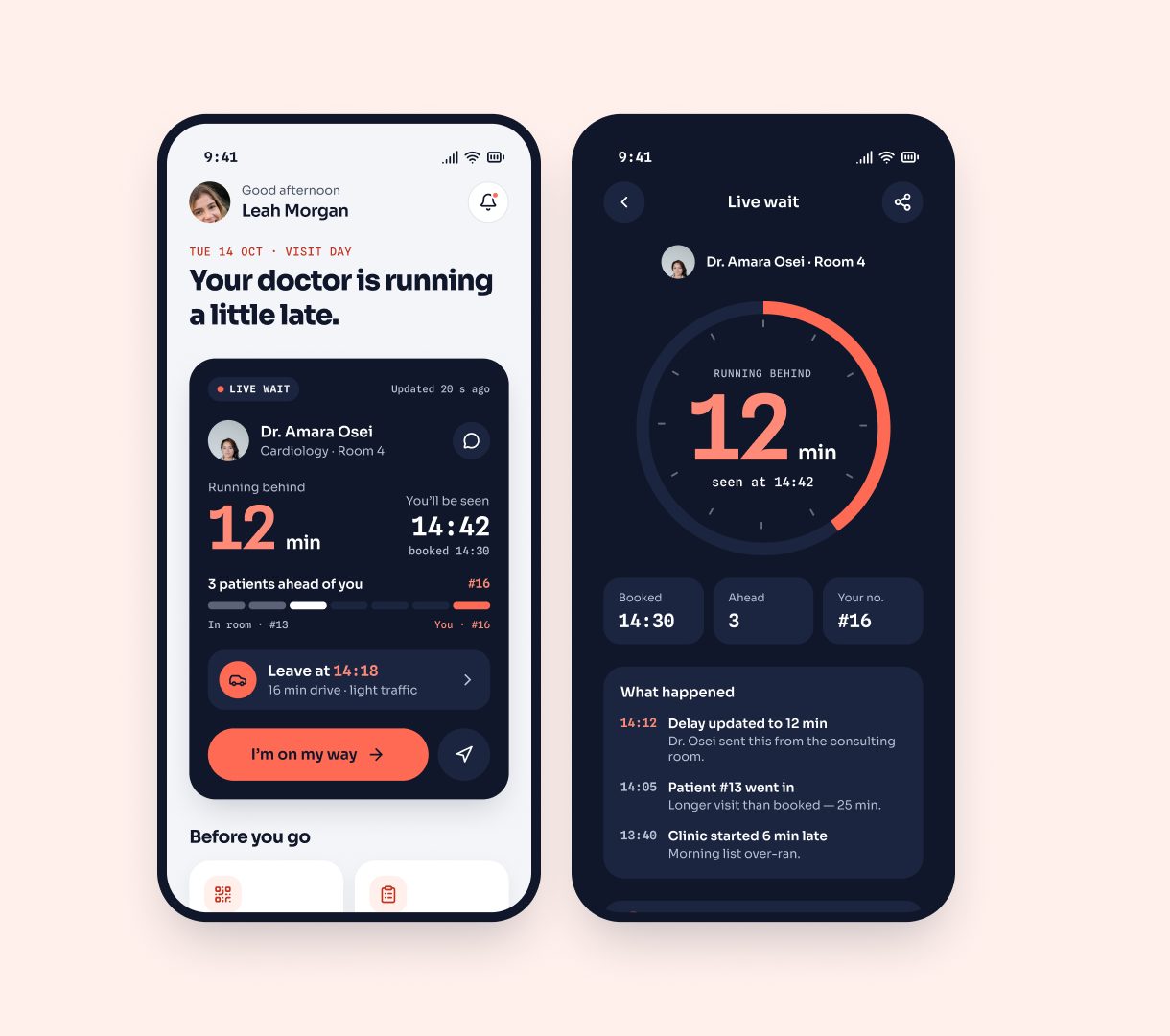
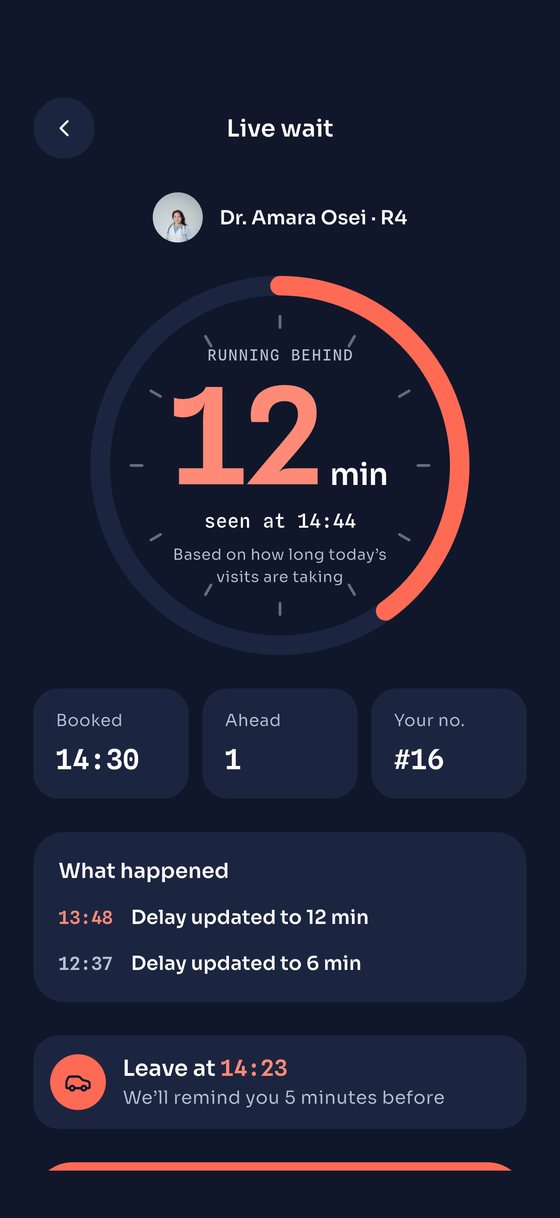
Home screen with the live wait card and the live wait detail with a delay dial
Booking

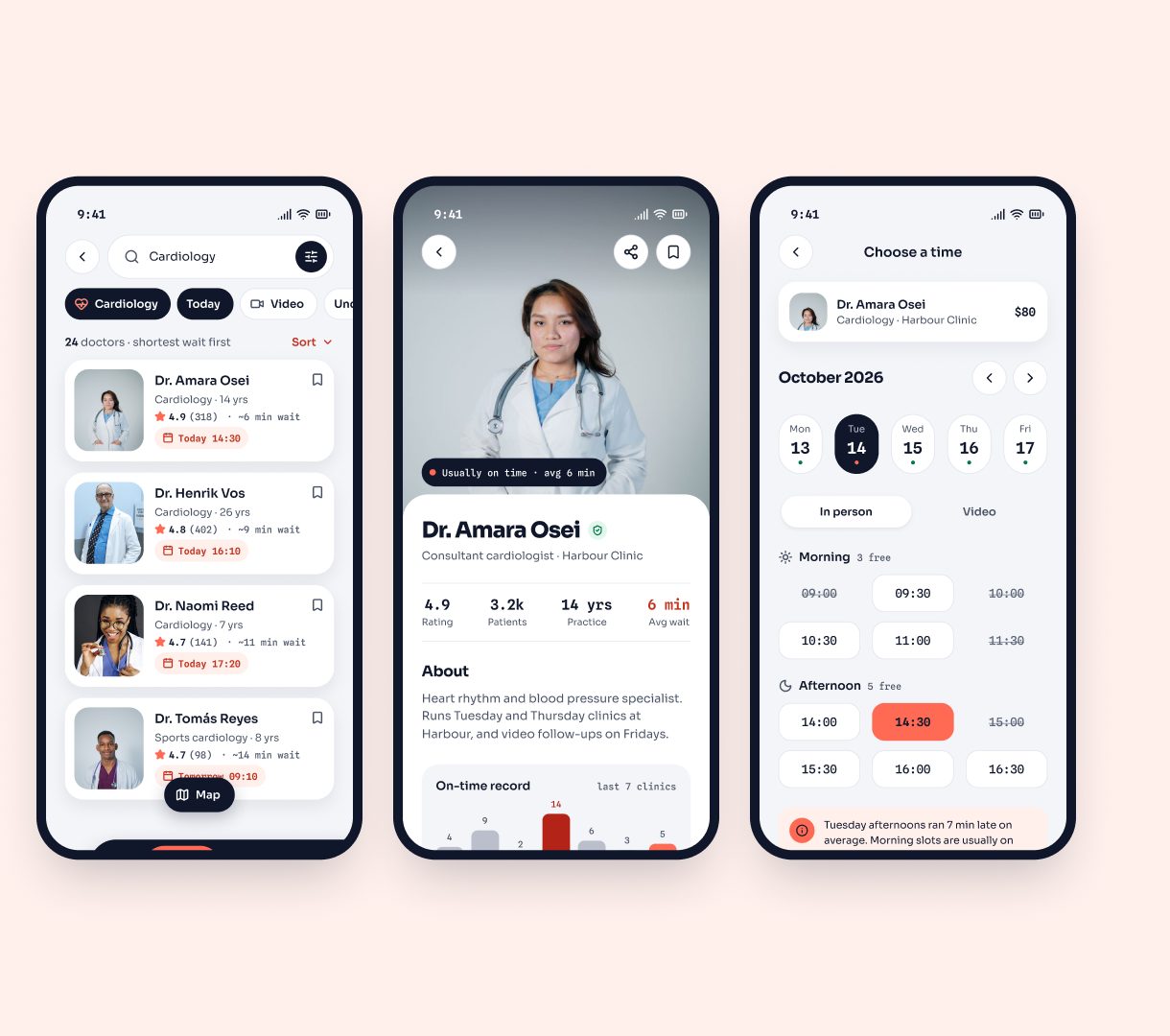
Book the doctor who runs on time.

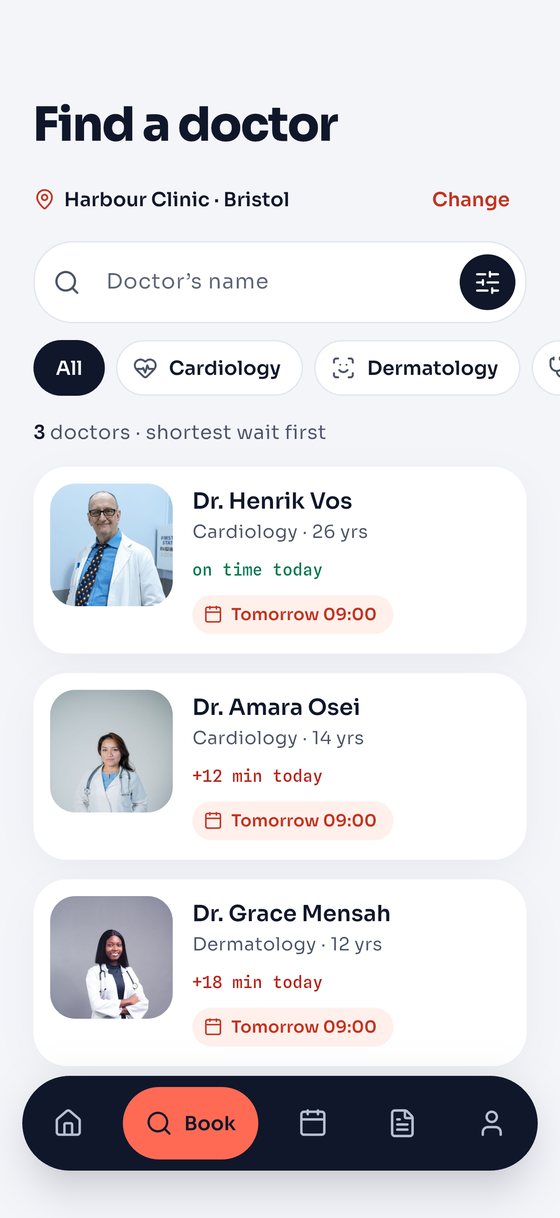
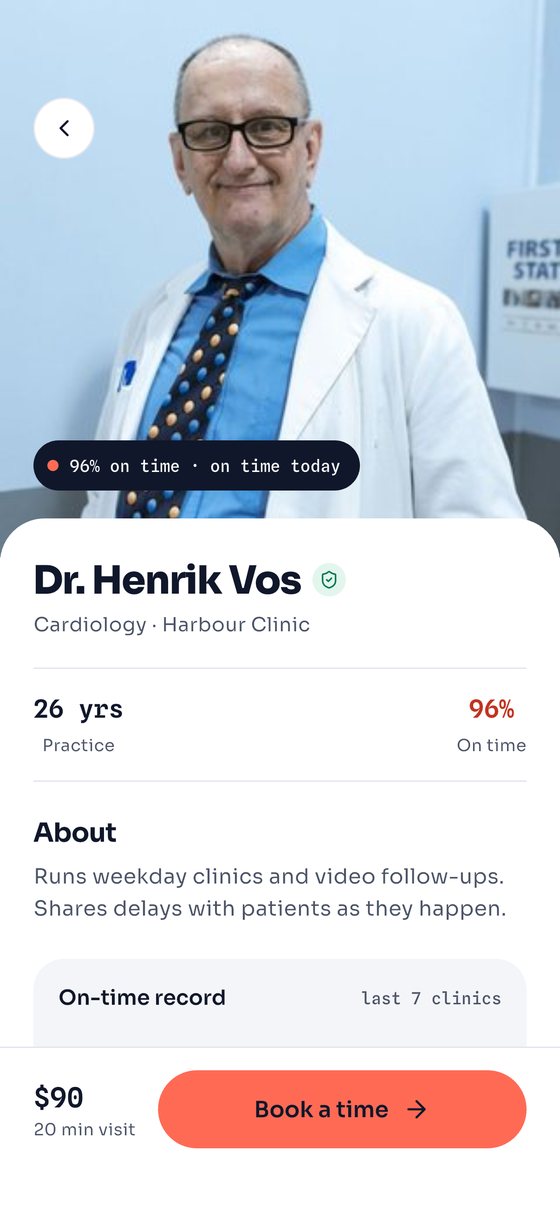
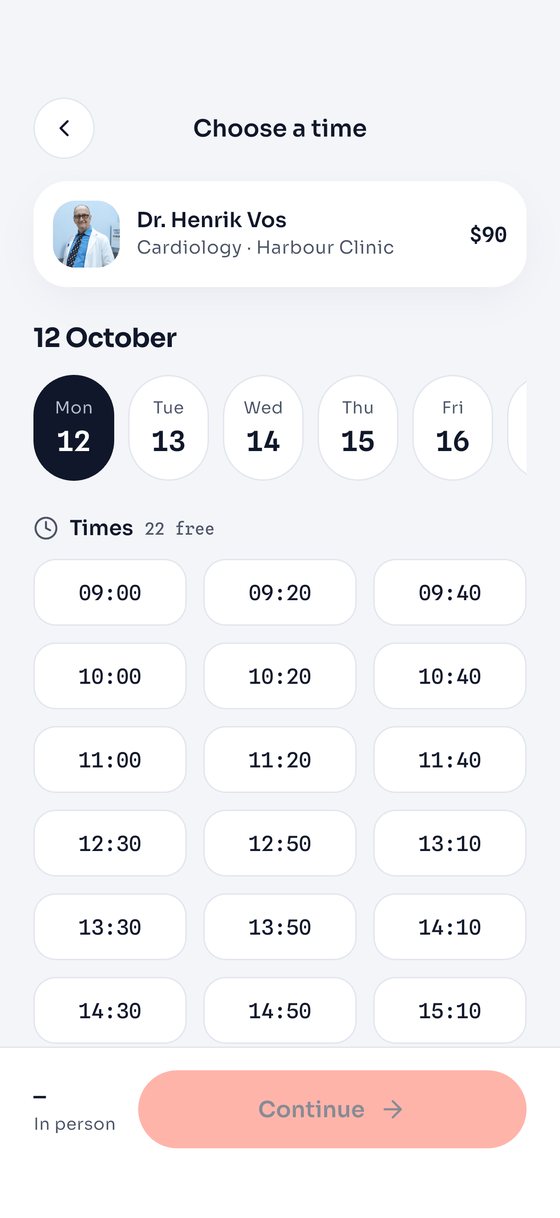
Every profile shows an on-time record. Filter by the longest wait you’ll accept, then pick a slot.

Search results, a doctor profile with an on-time chart and the time slot picker
Book by number

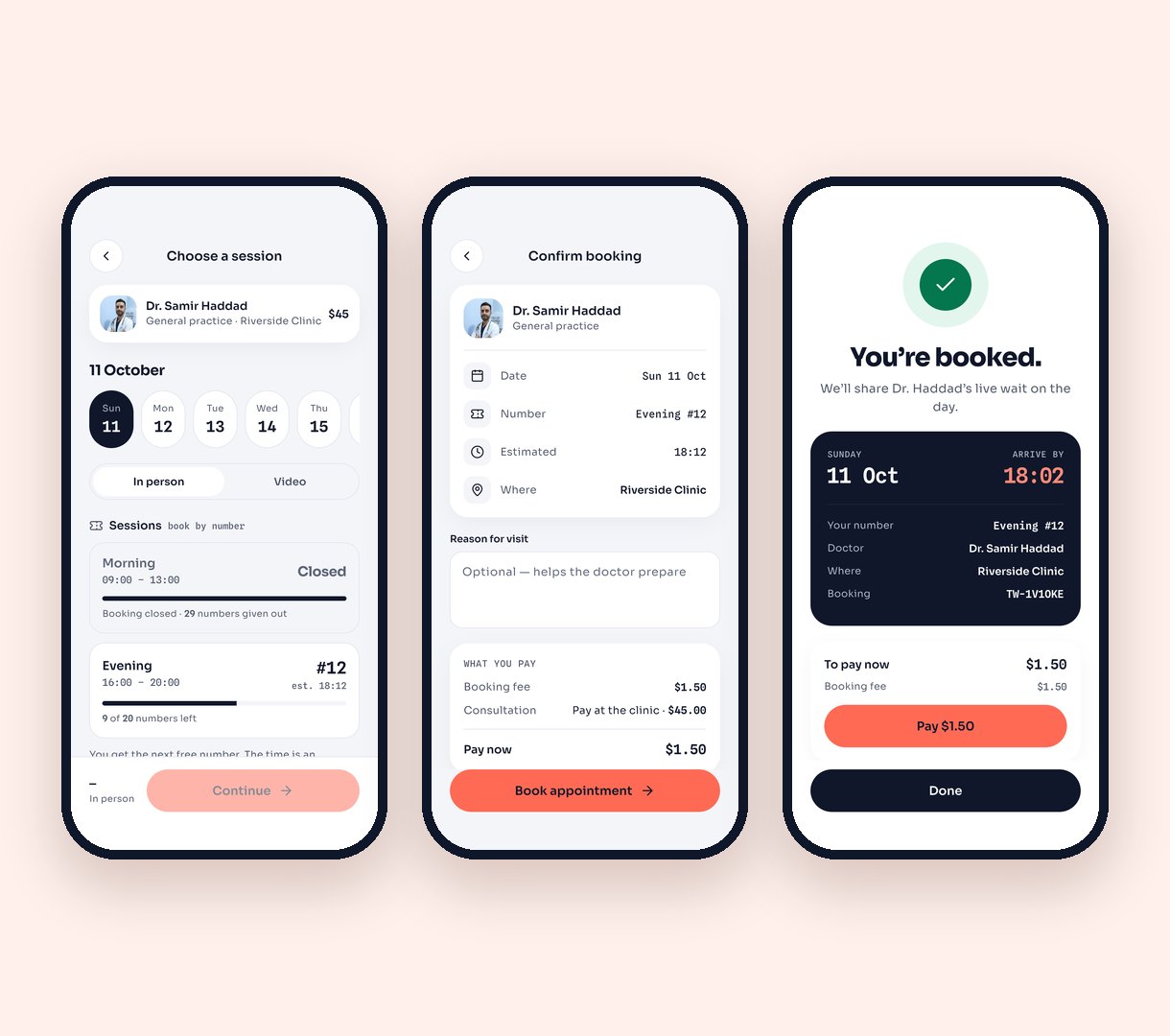
Morning and evening sessions, by token.

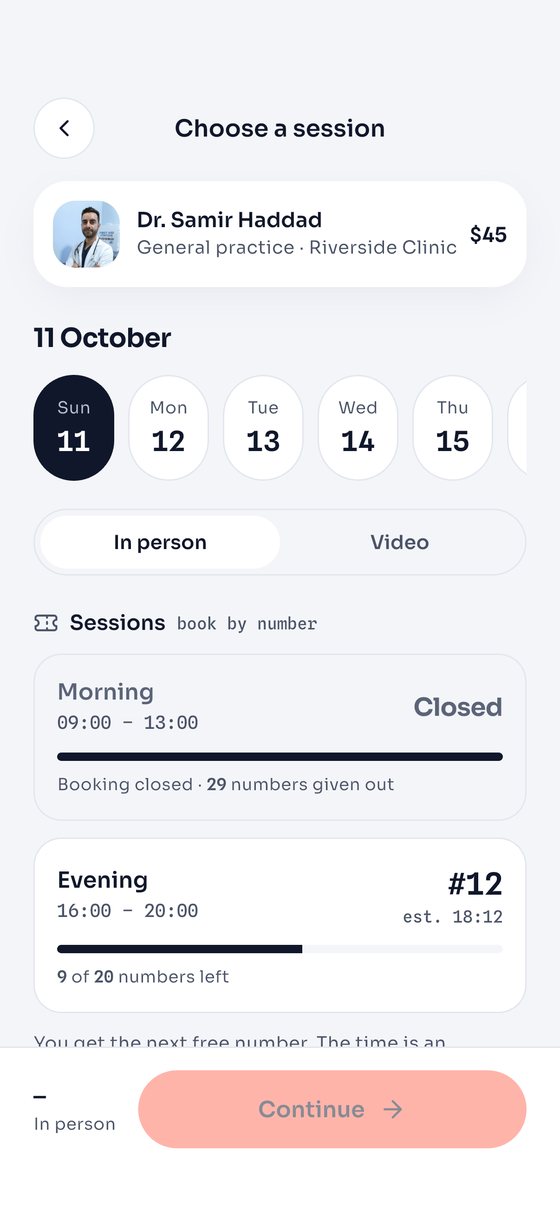
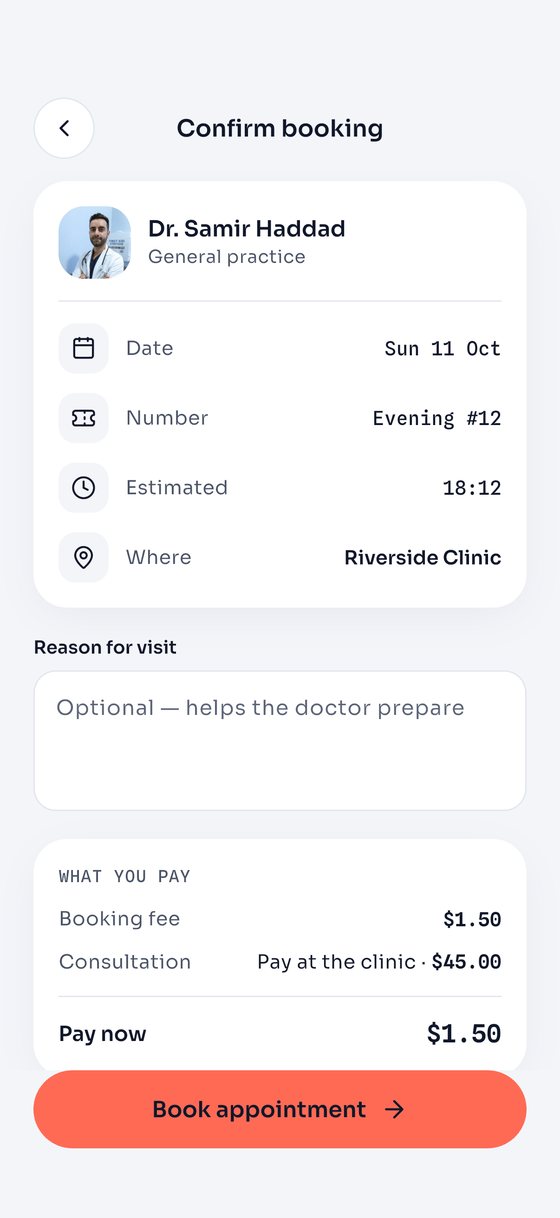
Some doctors don’t give times: patients take the next number. Switch any doctor to tokens and give each session its own rules: how many numbers it gives out, when booking opens and when it closes — say 50 in the morning, closing at 10:00. A full or closed session says so, and the app offers the next one. Every number comes with an estimated time that moves with the live wait.

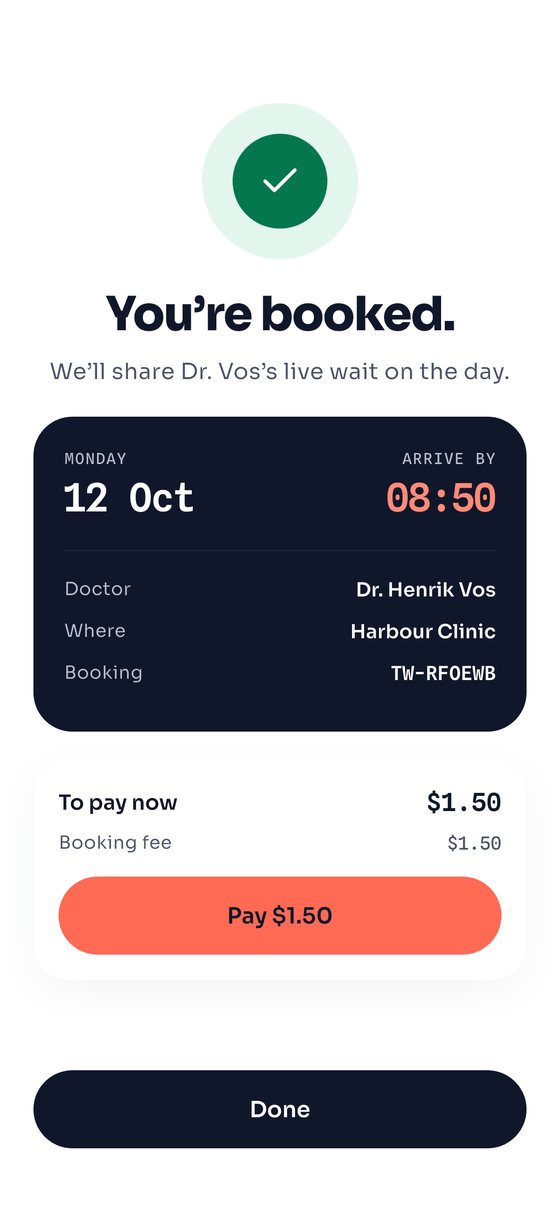
The morning session closed, choosing the evening session with number 12 at about 18:12, confirming with the booking fee, and the booked card
Live queue

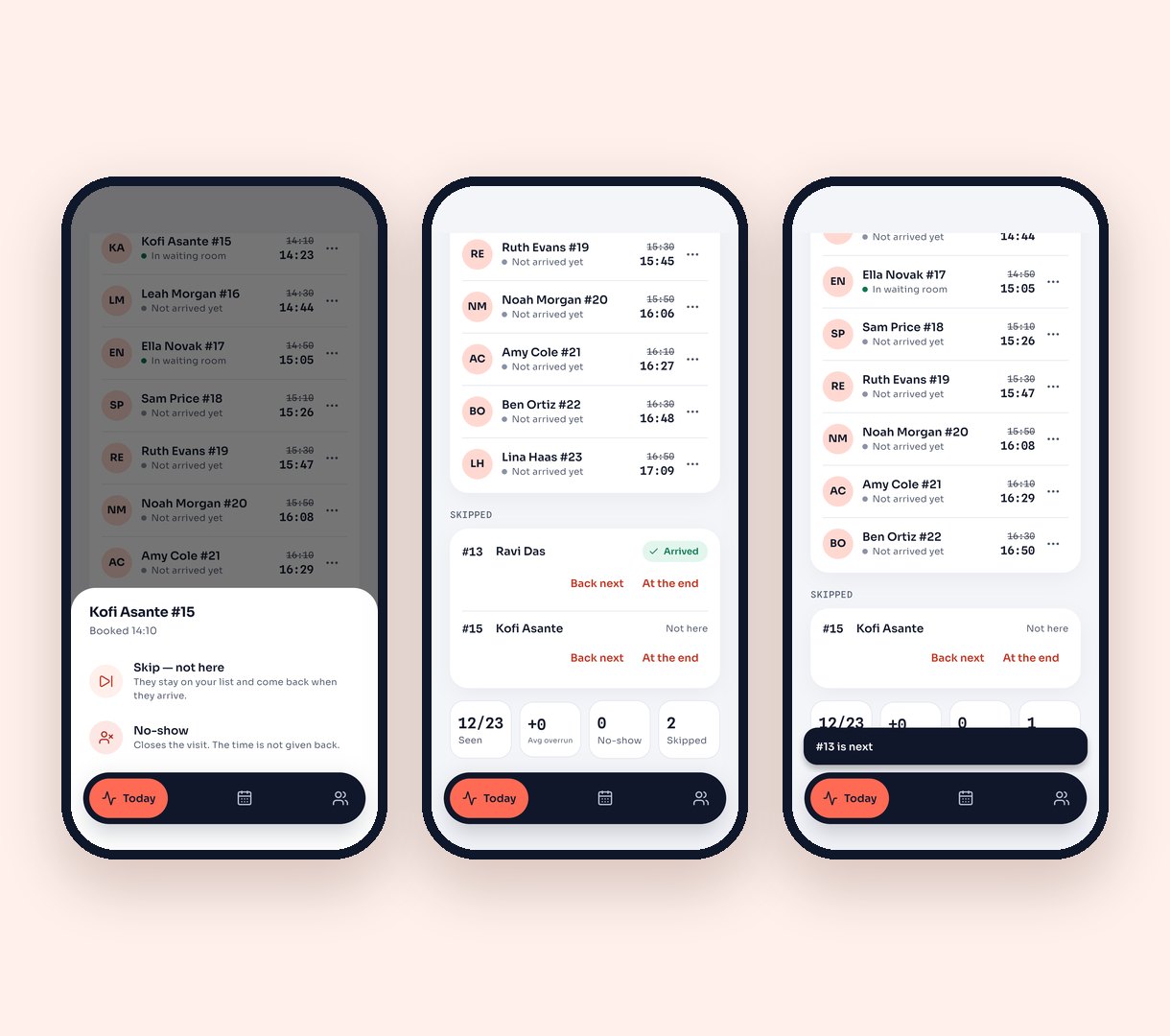
Not here? Skip, and call them back.

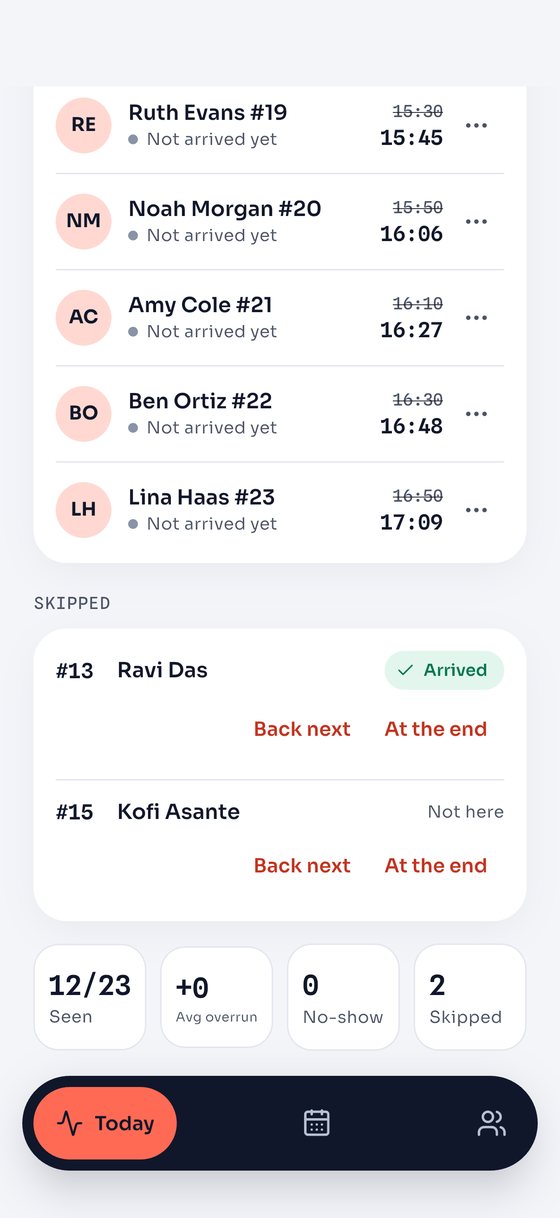
When a patient isn’t there, the doctor skips them and calls the next one instead of waiting. They keep their number, show as “Arrived” when they check in, and come back next or at the end. Every move reaches the waiting patients’ phones at once, and the wait can be estimated from how long today’s visits are really taking.

Doctor app: the skip sheet for patient 15, the skipped list with an arrived patient, and patient 13 called back next
Cities, clinics and fees

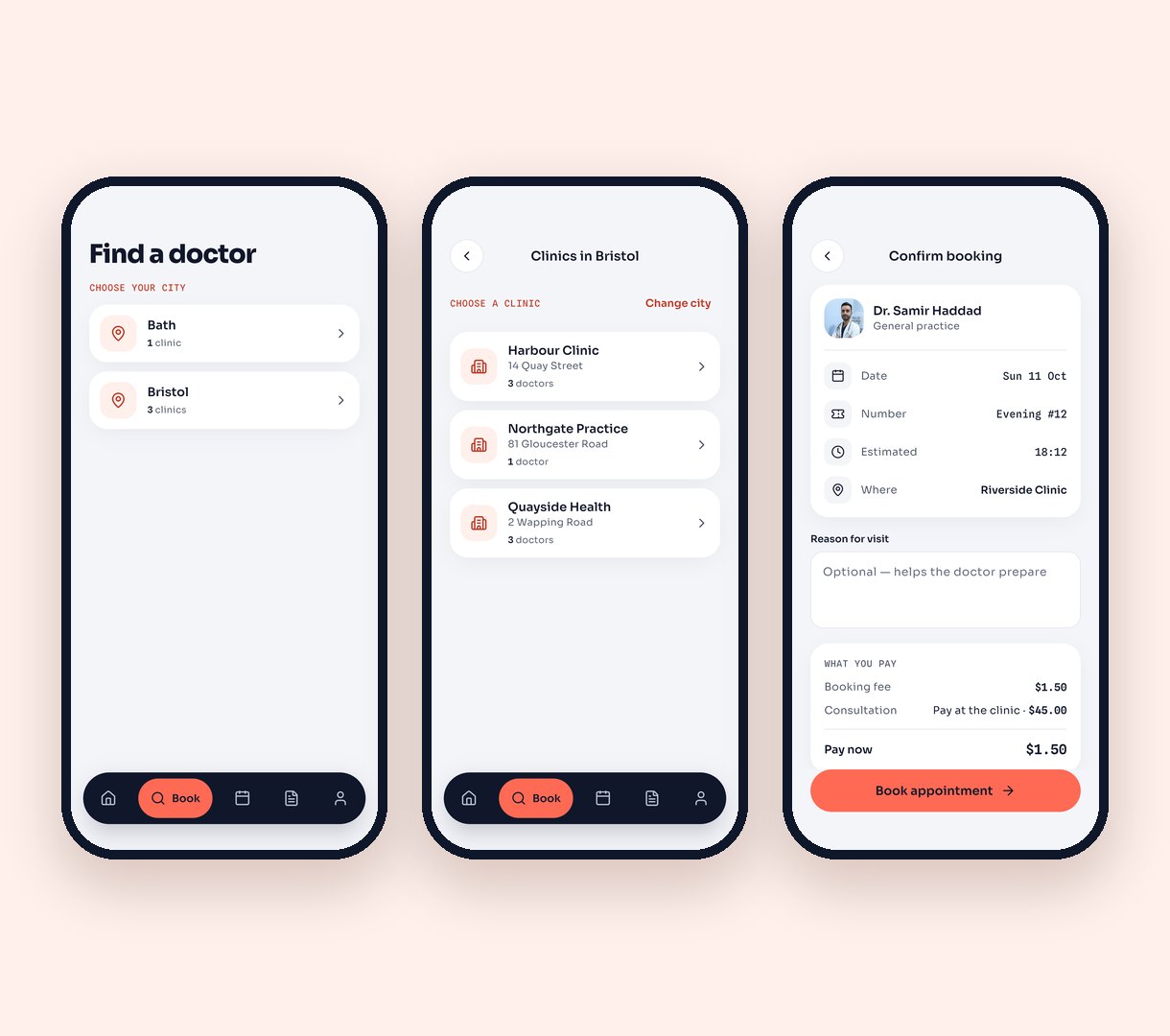
City, clinic, doctor — and what to pay.

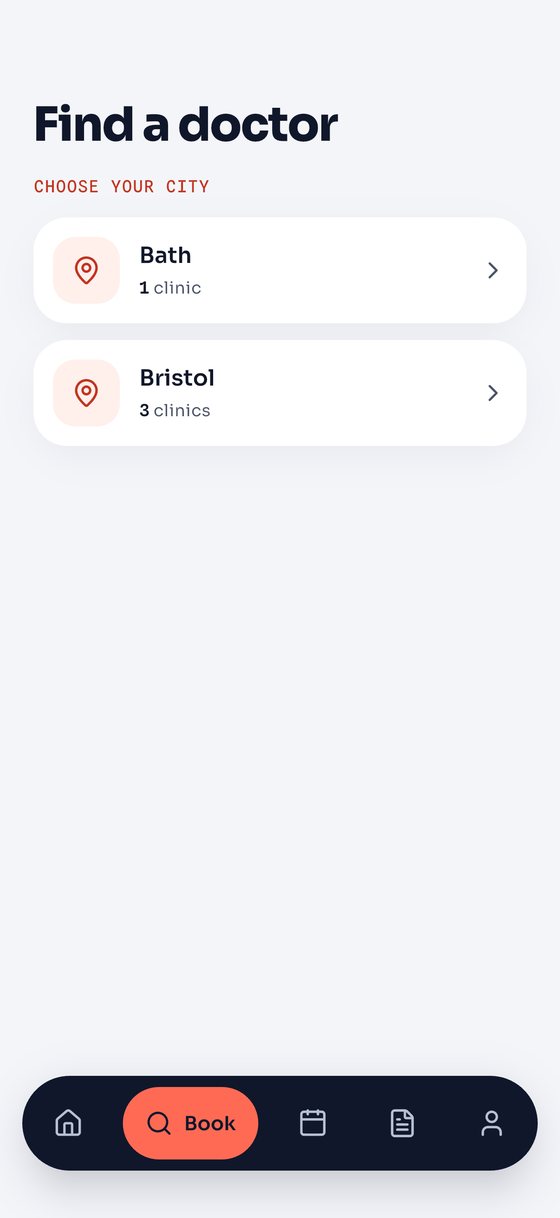
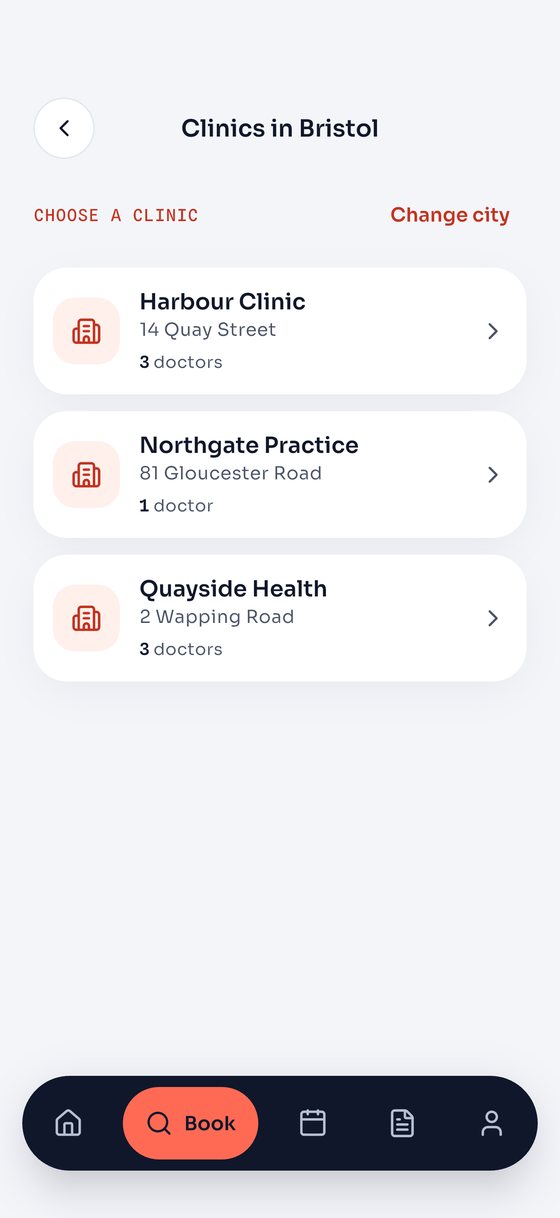
With more than one site, patients pick a city, then a clinic, then a doctor. Set a booking fee for every booking made in the app, and choose per clinic whether the doctor’s fee is paid in the app after the visit, in the app when booking, or at the clinic. Patients see the breakdown before they book; visits can wait to be confirmed until they are paid.

Choosing a city, choosing a clinic in Bristol, and the confirm screen with a booking fee and the doctor's fee paid at the clinic
Doctor app

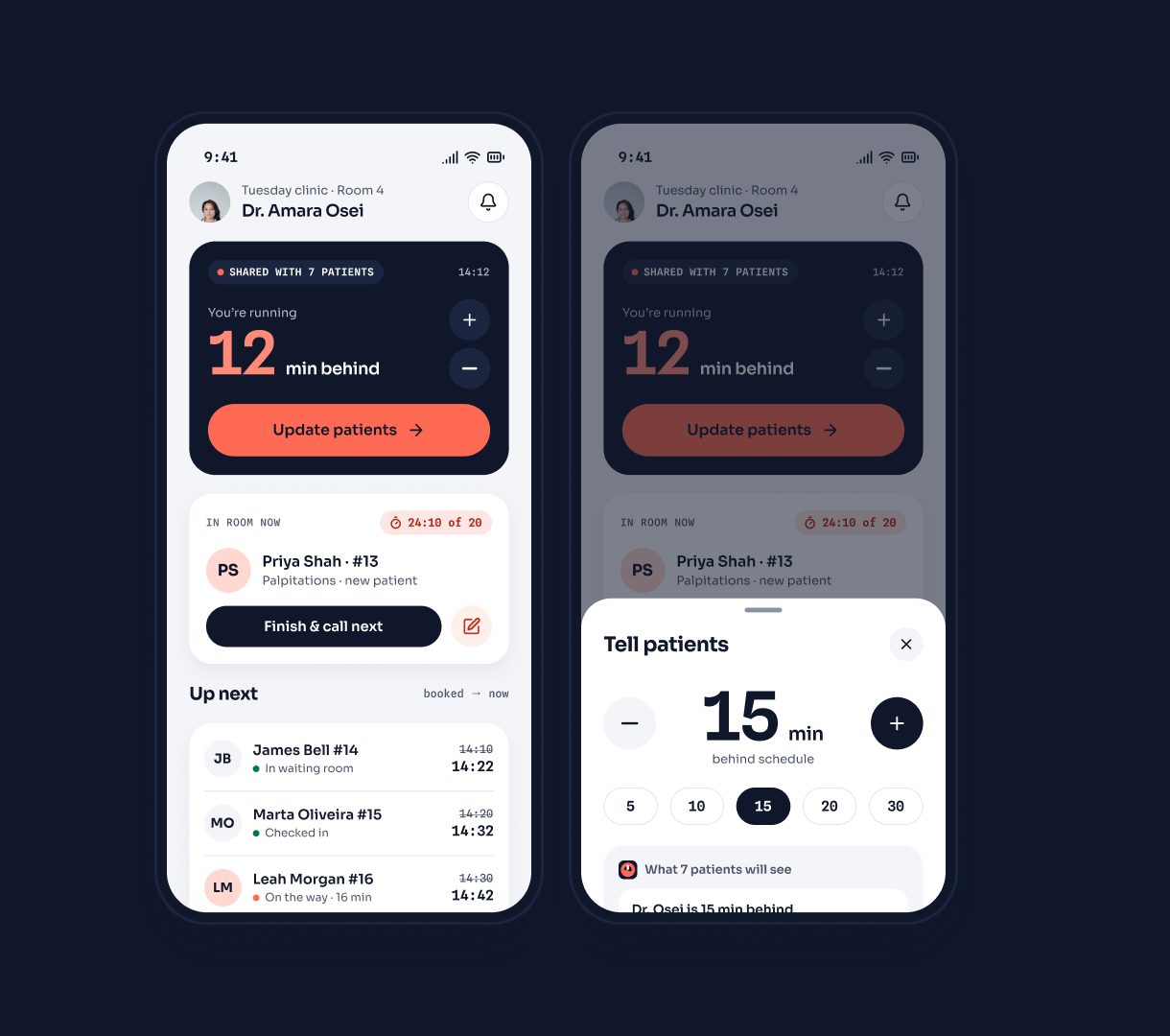
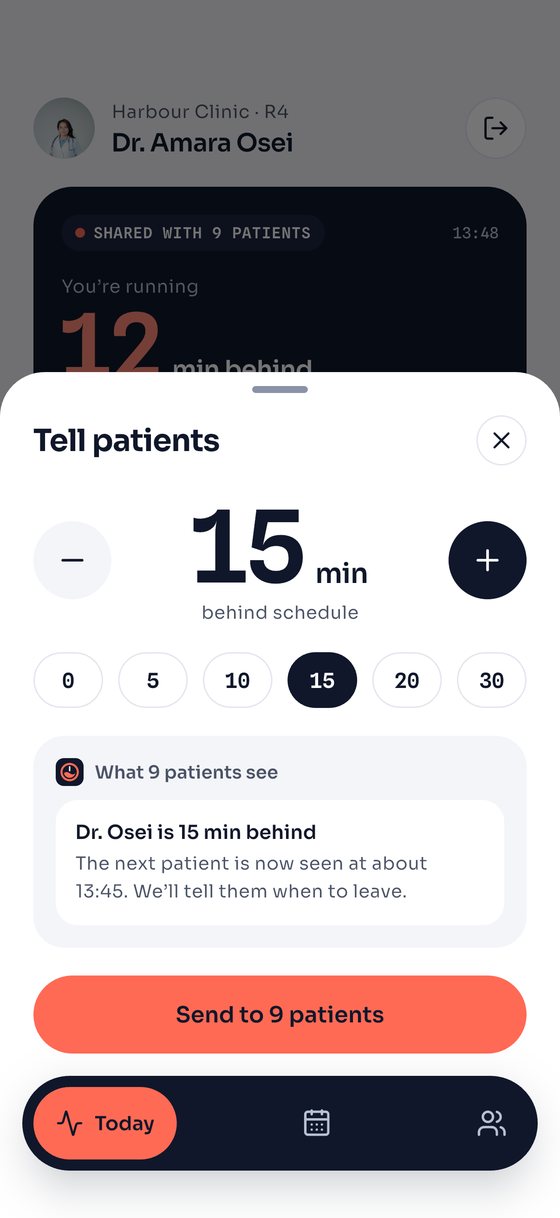
One tap tells every patient.

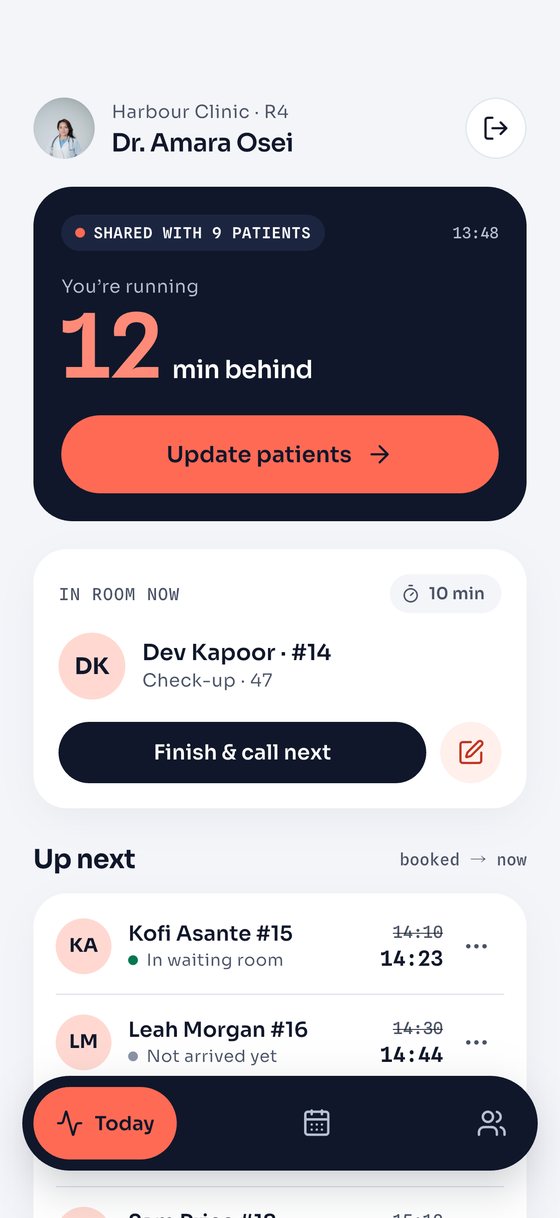
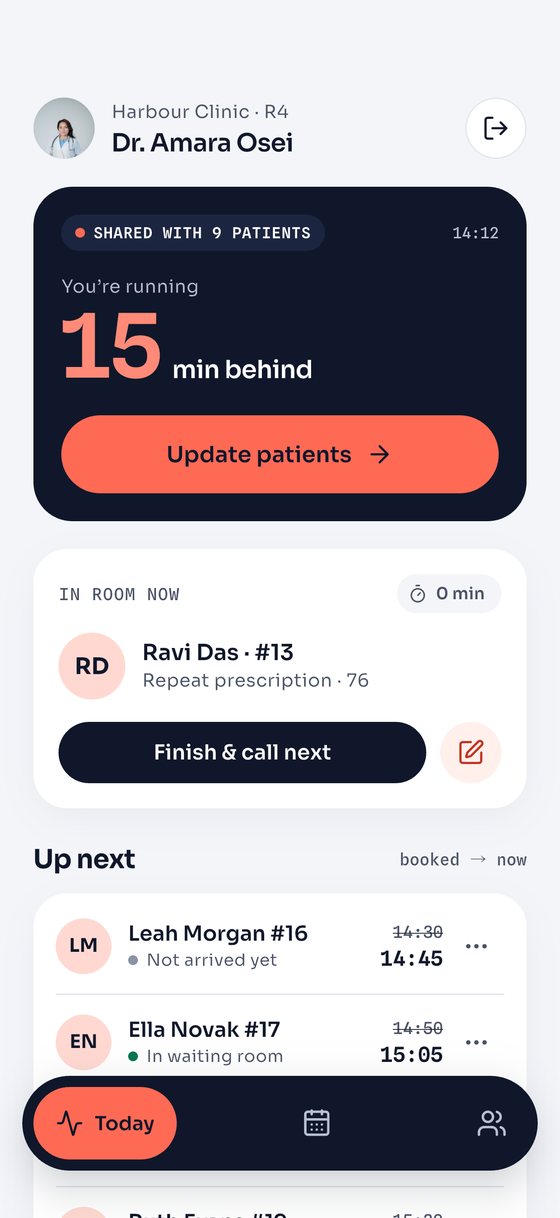
The doctor sees who is in the room and who is next, and sends a delay to everyone waiting or on the way.

  • Today’s queue with booked and live times side by side
  • Schedule, availability and visit length
  • Patient chart and SOAP visit notes
Doctor app: today’s queue and the send delay sheet
Clinic dashboard · Laravel

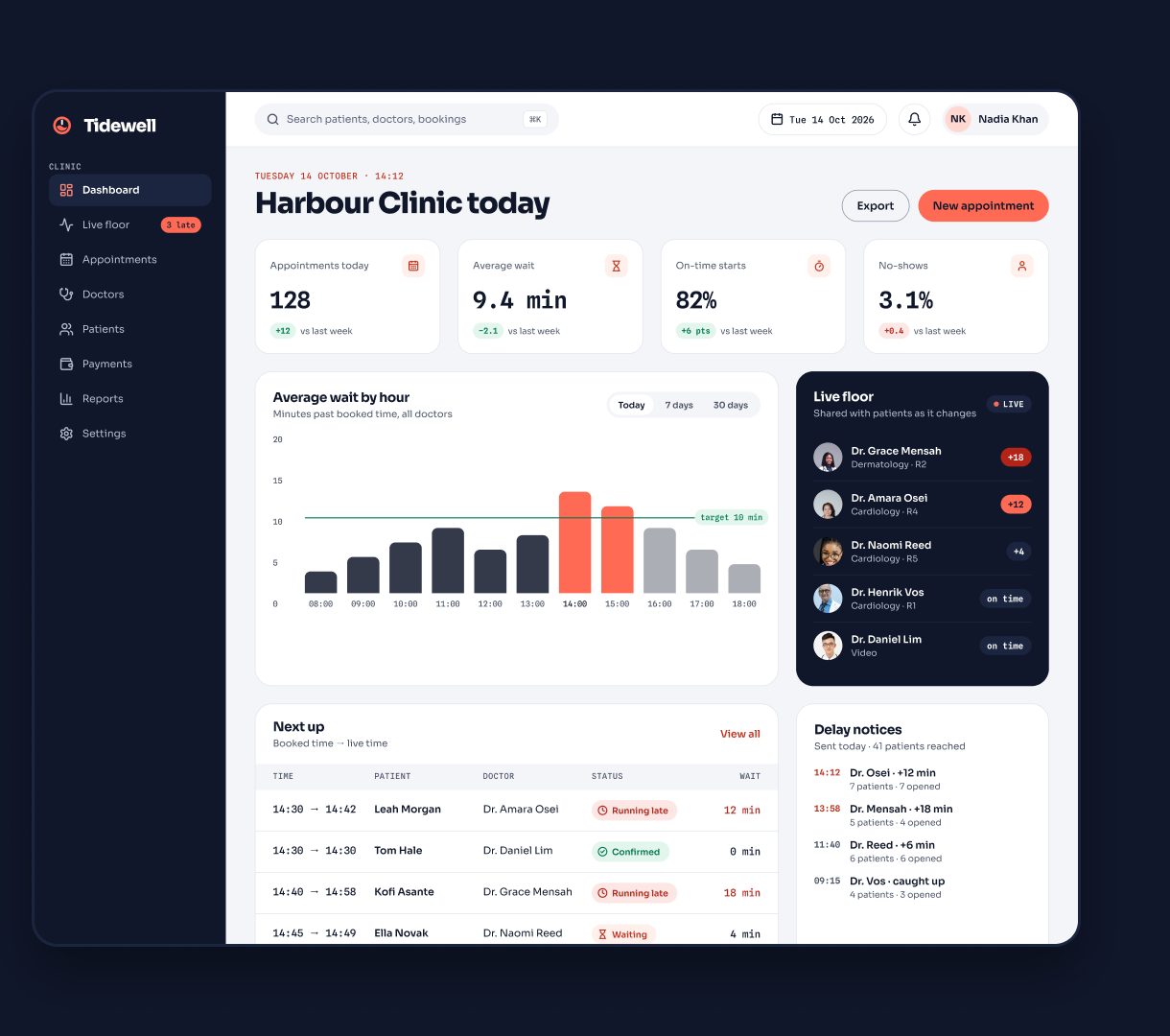
The whole clinic on one screen.

Average wait by hour against your target, the live floor of doctors, a day board per site and the payments behind it.

  • Live floor: send or clear a doctor’s delay from the desk
  • Appointments board with booked and live times
  • Doctors ranked by on-time record, patients and invoices
Open the live demo
Clinic dashboard with wait by hour, live floor and delay notices
Colour modes

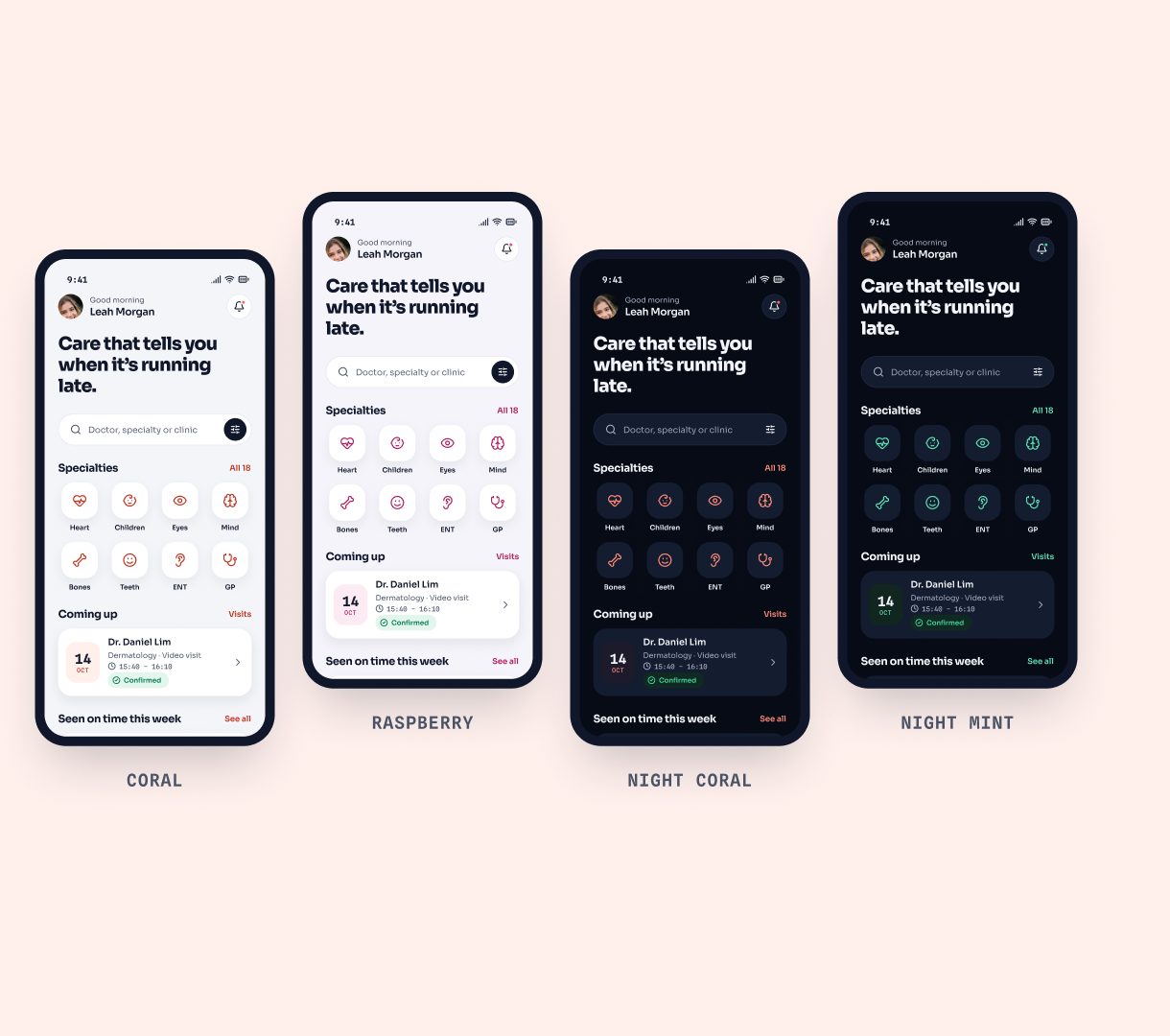
Four modes, one design.

Coral, Raspberry, Night Coral and Night Mint — in the apps, the dashboard and the Figma file.

The home screen in four colour modes
Real screens

Straight from the iOS apps, not mock-ups.

Captured on iPhone from the Flutter build running against the demo API. The same code runs on Android.

Patient app

Book, see the real wait, leave on time.

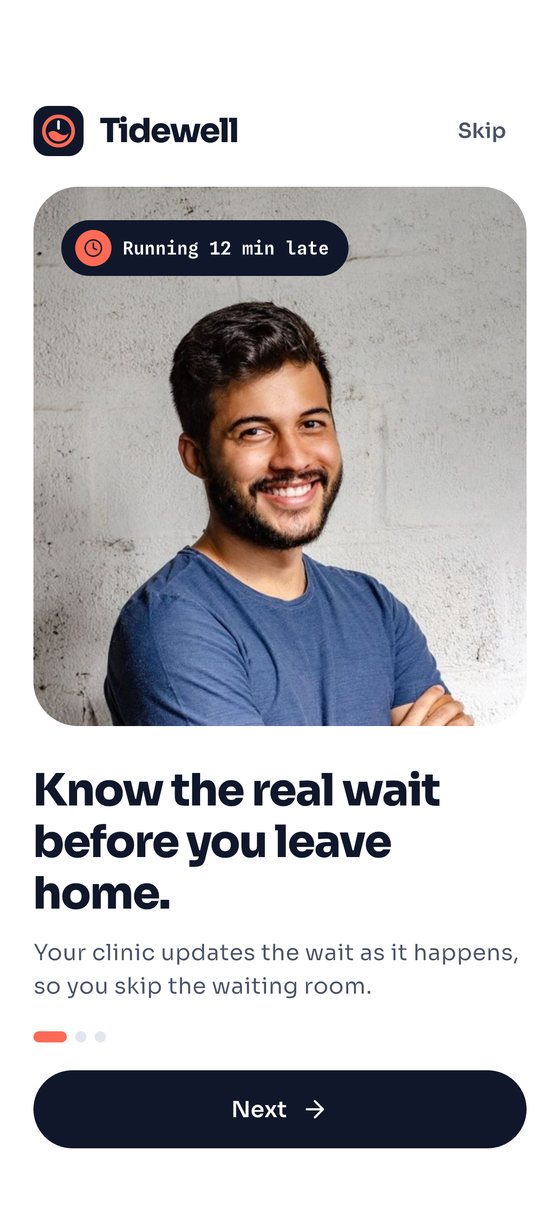
Patient app onboarding screen
Onboarding
Patient app home with the live wait card
Home · live wait
Live wait dial showing minutes behind
Live wait
Choose your city
Choose a city
Clinics in Bristol
Choose a clinic
Find a doctor search with specialty filters
Find a doctor
Doctor profile with years in practice and on-time rate
Doctor profile
Time slot picker
Choose a time
Morning and evening sessions with the next token number
Book by number
Confirm booking with a booking fee and the doctor's fee paid at the clinic
What you pay
Booking confirmation
Booked
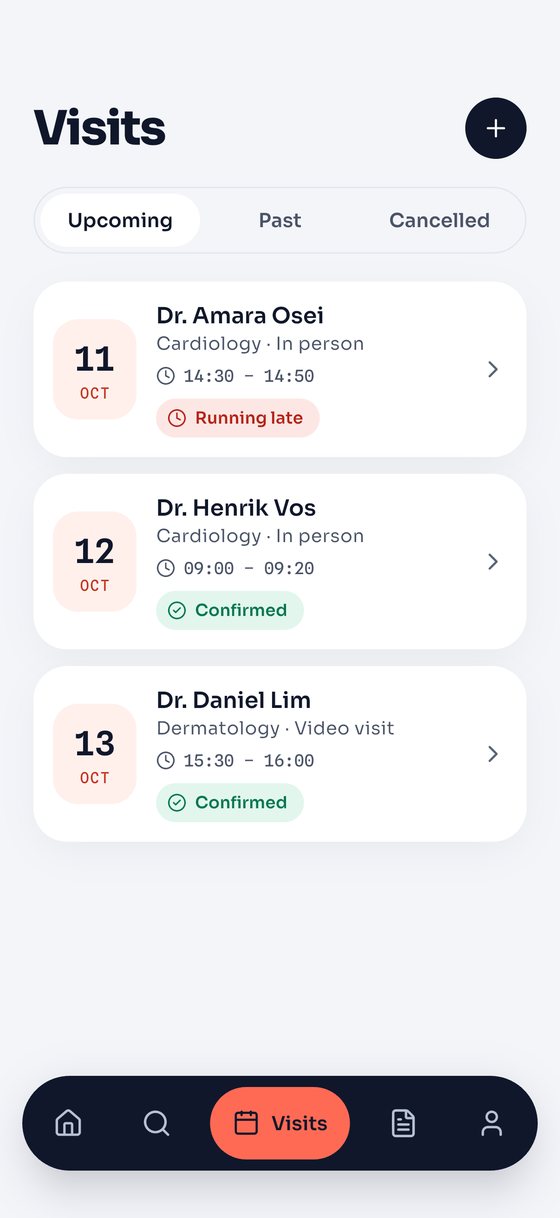
Upcoming visits list
Visits
Invoices and past visits
Records · invoices
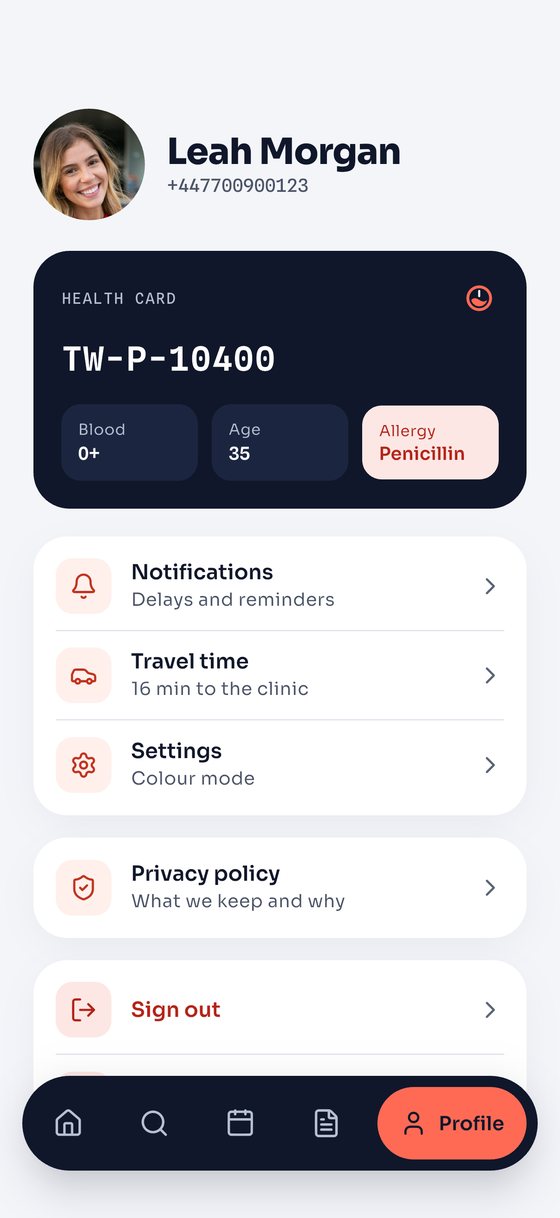
Patient profile with health card
Profile

Doctor app

Run the day and tell everyone at once.

Doctor app today screen with the delay card and queue
Today
Skipped patients with Back next and At the end
Skip and recall
Sheet for telling patients about a delay
Tell patients
Queue after calling the next patient
Call next
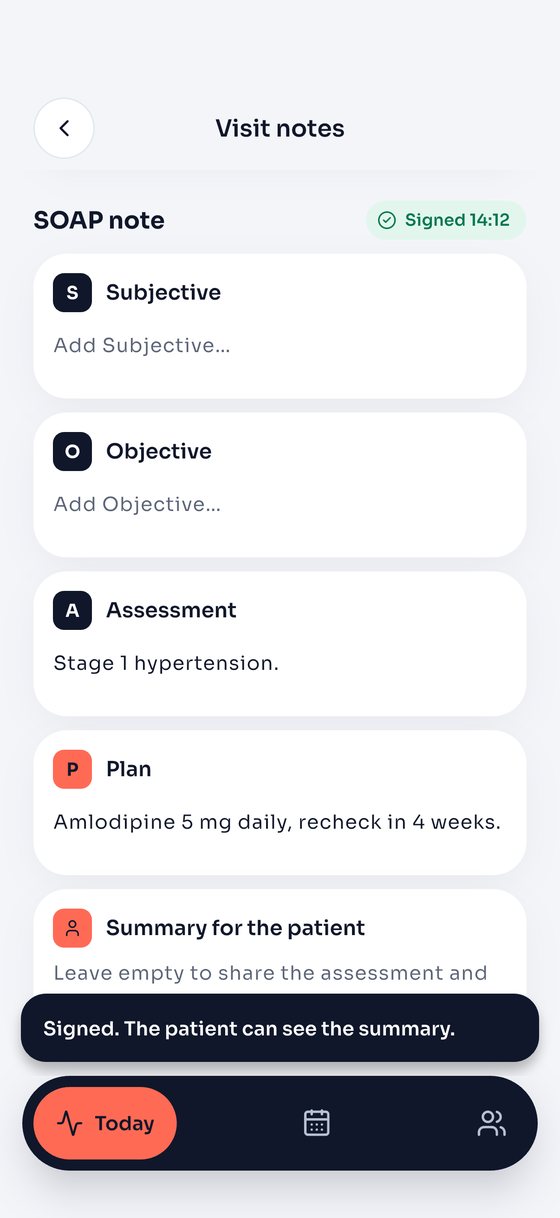
Signed SOAP visit note
Visit notes
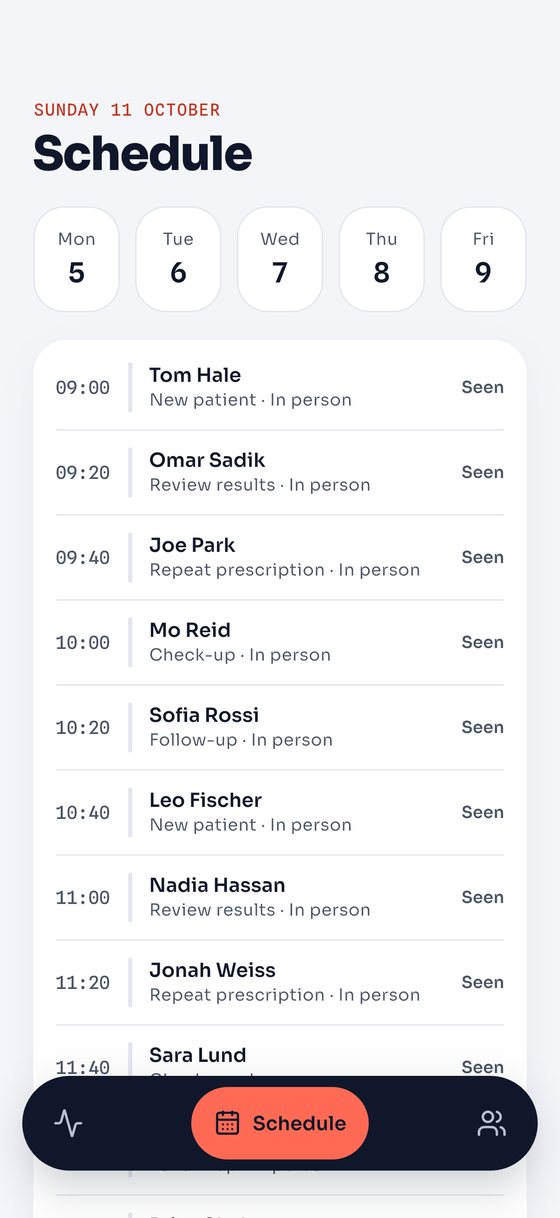
Week schedule
Schedule
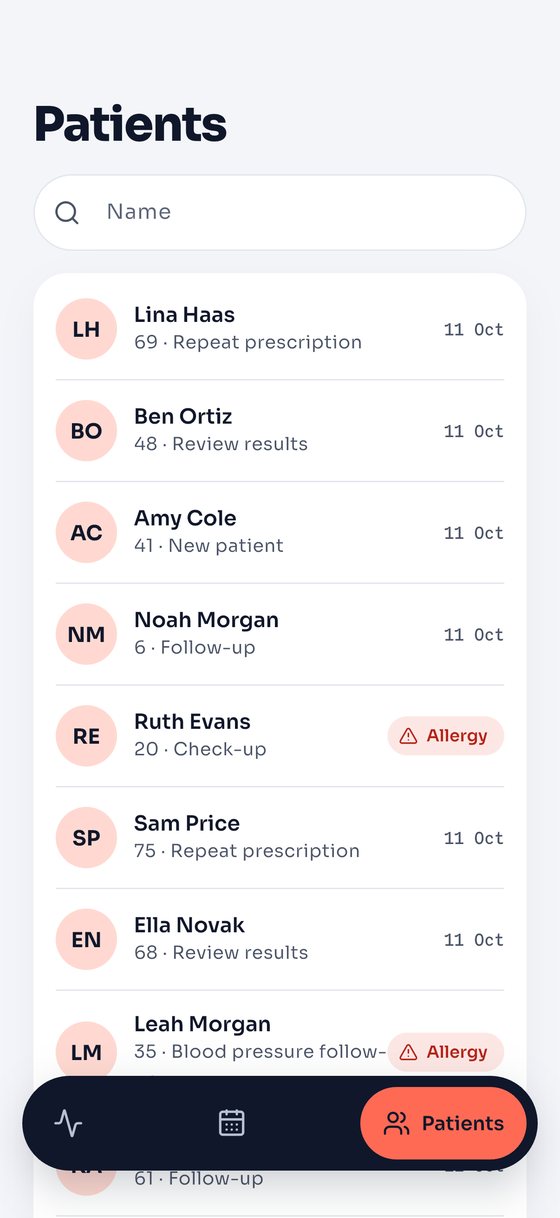
Patient list with allergy flags
Patients
What’s inside

Everything a clinic needs to run on real time.

Patient app

Flutter, iOS and Android. City and clinic browsing, booking by time or token, live wait, check-in, video visits, records, fees and payments.

19 screens

Doctor app

Flutter. Today’s queue with skip, no-show and recall, one-tap delay notices, schedule, patient chart and notes.

6 screens

Clinic dashboard

Laravel. Live floor, appointments, doctors, patients, payments, reports — and the API behind the apps.

12 pages

Figma file

Every screen, the component library and the four colour modes, ready to rebrand.

4 colour modes

33API endpoints92backend tests2apps from one Flutter codebase3payment modes: off, demo, Stripe

Live demo

Try the clinic dashboard.

The demo clinic is always mid-session, so there is a live floor to look at whenever you open it. It is read-only.

On Android, install both apps against the same demo: patient app (APK) · doctor app (APK). The patient app opens with the demo number filled in (code 123456); the doctor app has a “Use demo account” button.

URL
tidewell.webkodingtheme.com/admin
Email
admin@tidewell.dev
Password
TidewellAdmin!
Open the dashboard